How to make items not show in quotes and rentals
If a rental item is no longer required to be shown on Quotes and Rentals, you can mark the item as Inactive. This way, the history of quotes and rentals for the items will still be available in Viberent but the item will not be available for selection.
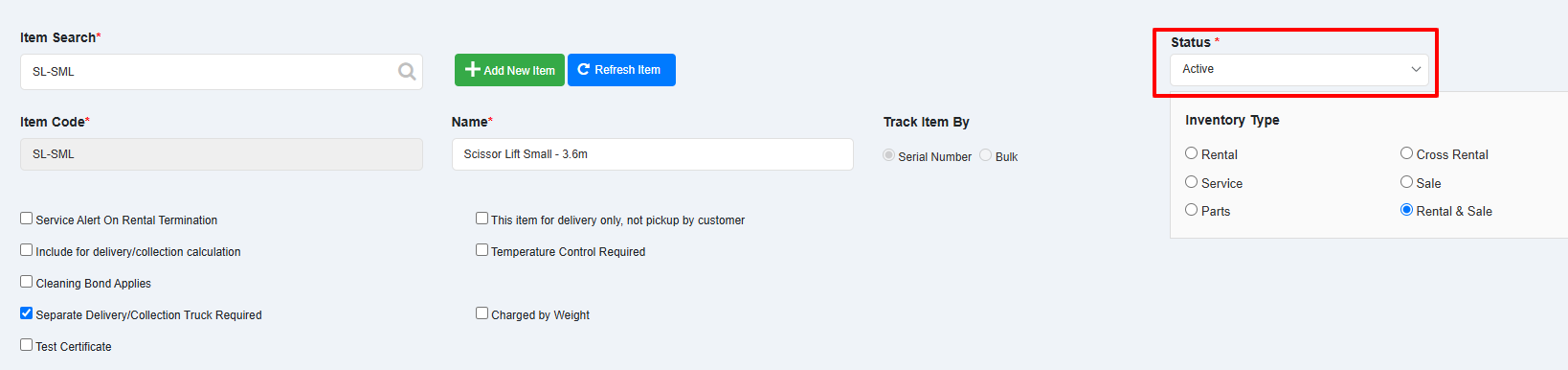
Open the item in Inventory Management screen.
Set the Status of the item to Inactive by selecting it from the dropdown.
Click Save at the bottom.
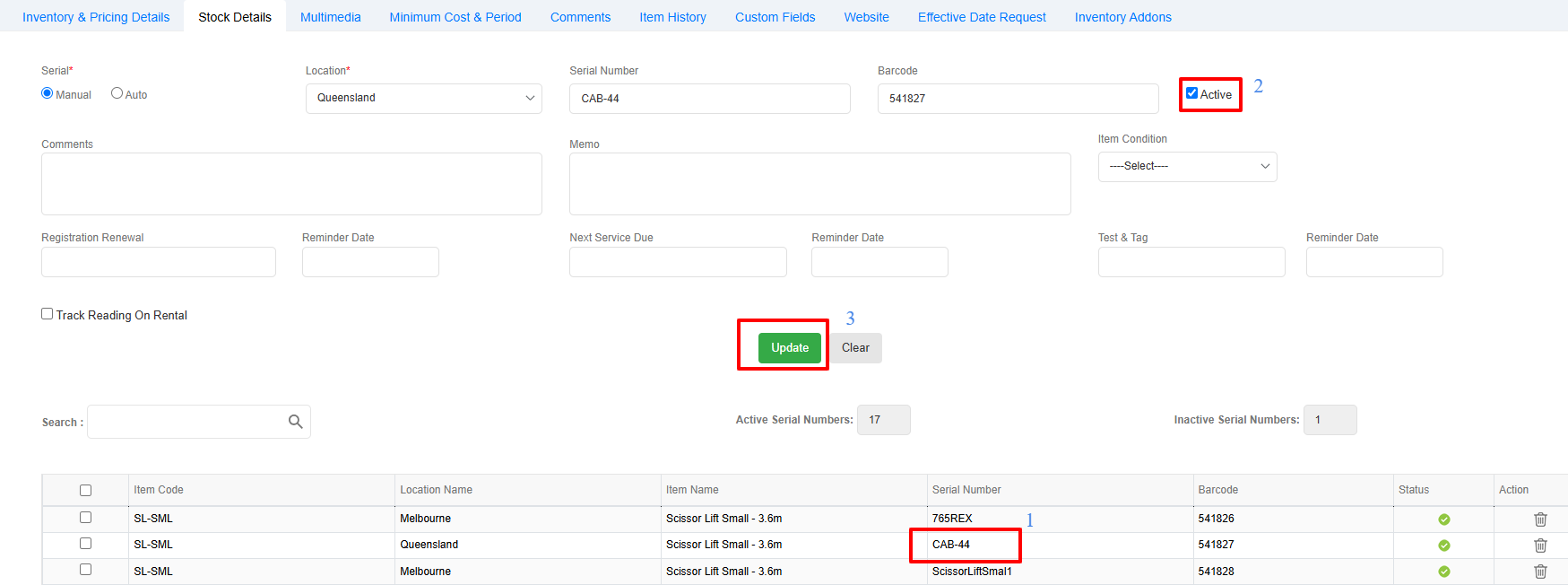
However, if you are using serial number items and you wish to only make one or more serial numbers Inactive, you can perform this from the Stock Details section.
Go to Stock Details section.
- Double-click the Serial number so the details are loaded on top
- Untick the box titled "Active" to make the serial number Inactive
- Click Update button to save the status of the serial number
- Click Save at the bottom to save the inventory item.